Overview
A great way to leverage XL and streamline your operations is to integrate XL with your other manufacturing systems.
XL has been designed to work with almost any type of PLC, MES, ERP, or Reporting system. You integrate XL with your process using our API, or by using a solution provided by a third-party XL integration partner.
Our XL integration partners help you to quickly integrate XL by combining an extremely deep knowledge of XL with standard software tools, and custom integration services. They typically help people to:
- Import XL data into existing reporting systems.
- Rollup, slice, dice, and analyze data across an entire enterprise.
- Link XL to their production scheduling system.
- Link XL to their PLCs to automate reason capture.
Enterprise Database
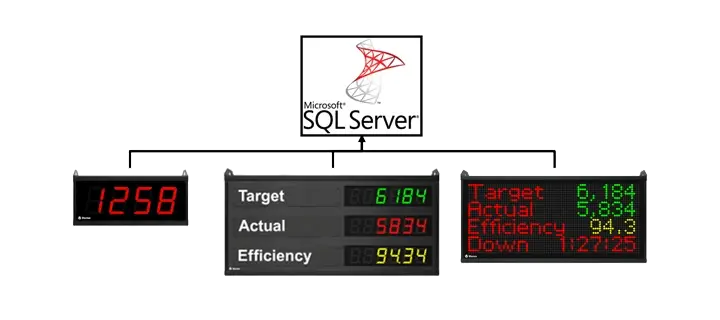
Using the Data Collector, automatically write data from multiple XL devices to an SQL Database on your server.
- Archive your production data in an SQL Database.
- Eliminate manual reporting by integrating with your existing reporting solutions.
- Runs ‘behind the scenes’ as a simple automated windows service.
Learn more about the XL Data Collector here
ERP Integration
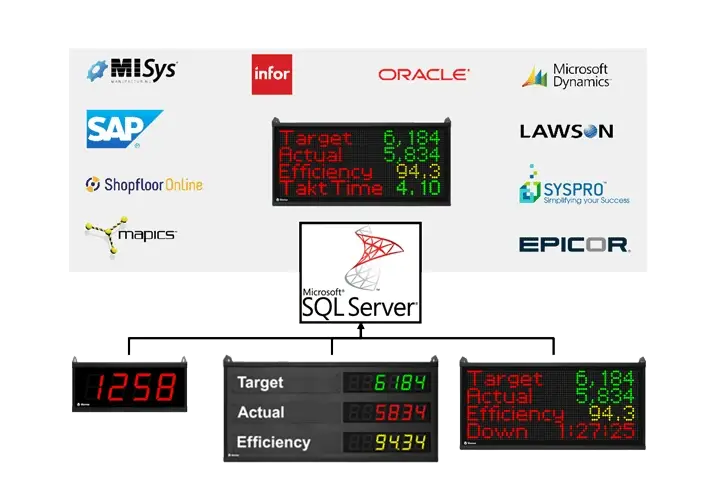
Using the Data Link ERP, establish a direct connection between your ERP system and XL systems to transfer job information from ERP into XL, and to transfer production data from XL back into ERP.
- ERP knows your plan: Export production standards to XL.
- XL knows what you’re producing: Import production data from XL to your ERP system.
XL HMI
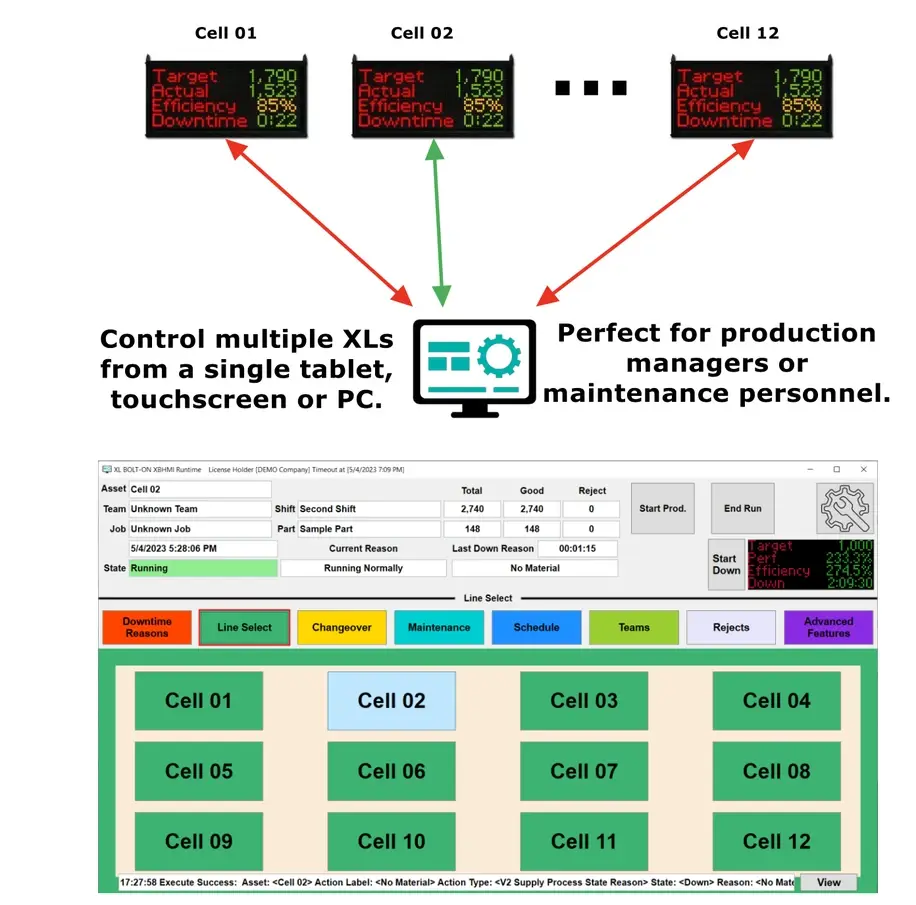
The XL HMI connects one or more XL units to a single tablet, touchscreen, or PC, enabling your team to interact with XL from a screen on the plant floor. It can help your team:
- Set downtime reason codes using a dropdown list or individual buttons for each reason.
- Enter reject reasons with dynamic quantities.
- Manually control production state and execute state changes such as Breaks/Lunch/Shift Start/Shift End.
- Execute pre-programmed parts and jobs or create new ones on the fly.
Read more about the XL HMI here.
PLC Integration
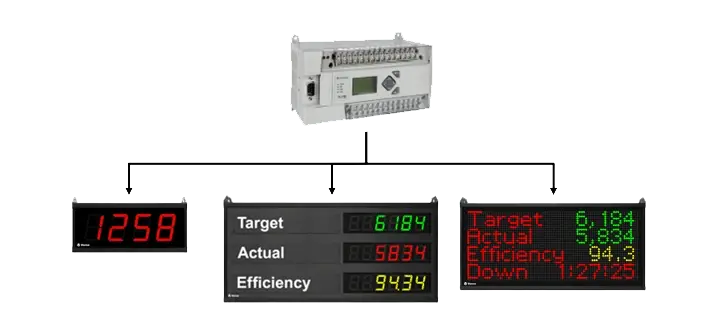
The Data Link PLC moves data from your PLC to Vorne XL systems on the manufacturing floor. No programming required! Just browse tags and select different options for moving data in real-time.
- Reduce the need to manually scan barcodes by sending information from your PLC to XL.
- Automatically activate down reasons or trigger various inputs to eliminate manual data collection.
- Send other information (numeric or alphanumeric) from the PLC to XL.
XL Custom Messages
Using PiXL software, create graphics and images on your computer for display on your Vorne XL system on-demand, or based on a specific metric.
- Create custom messages such as “Great Job Team”, or graphics such as your company logo.
- Activate these graphics based on a specific metric – e.g. display Great Job Team when the crew beat their shift target.
Read more about PiXL here.

XL Display Viewer
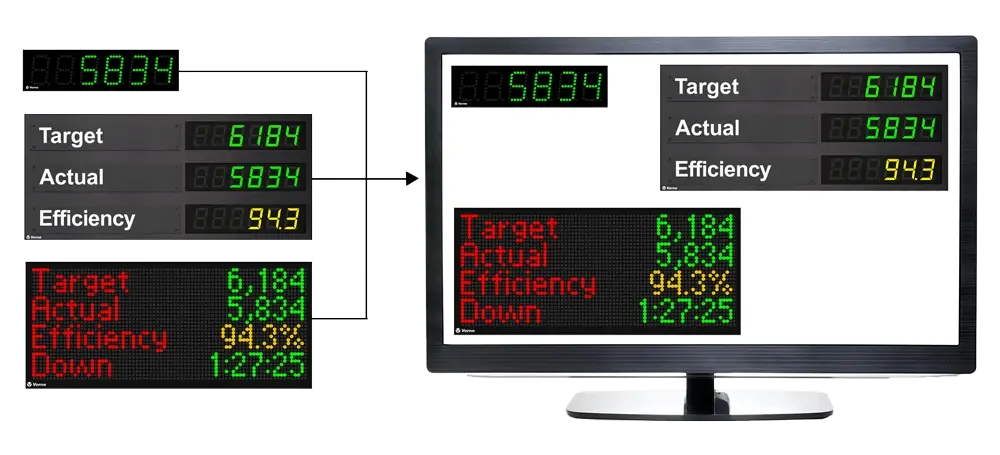
Recreate the XL scoreboard on any monitor or television. See live data from multiple XLs on your desktop or LCD/Plasma TV displays in break rooms, hallways or anywhere.
- Supports as many XL Devices as you have available on the network.
- Easy to deploy, with no programming needed.
Read more about the XL Display Viewer here.